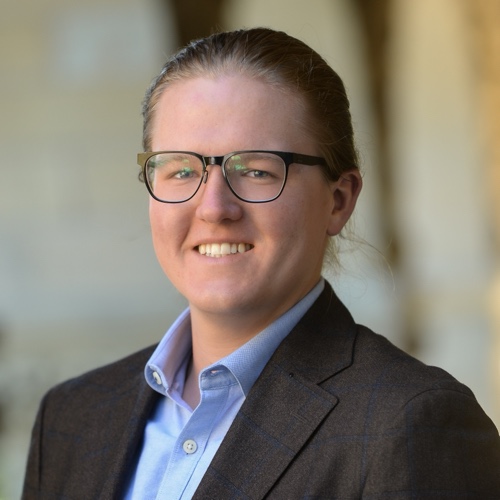
Aidan Milliff
The Ohio State University
Assistant Professor of Political Science
How to Update the Site
Workflow
The site is hosted on Netlify. Netlify serves pre-built files directly — it does not run quarto render itself. That means you must render locally and commit the output before pushing.
Every time you make a change:
# from the repo root (website-2021/)
quarto render quarto-site
git add -A
git commit -m "describe your change"
git push origin master
Netlify picks up the push automatically and deploys within seconds.
Why commit
_site/? The_site/folder contains the built HTML/CSS/JS that Netlify serves. It used to be gitignored, but is now tracked so Netlify doesn’t need a build step. Always re-render before committing so_site/stays in sync with your source files.
Add a paper
Edit papers.yml. Copy an existing entry and fill in the fields. The required fields are title, year, and venue. Everything else is optional.
- title: "My New Paper Title"
  year: 2026
  venue: "American Political Science Review"
  status: published      # published | rr | ur | wp
  authors:               # omit entirely if sole-authored
    - Co-Author Name
    - Aidan Milliff
  abstract: "..."
  homepage_featured: true   # show on homepage?
  homepage_order: 1         # lower = higher on homepage list
  links:
    - label: PDF
      url: "https://..."
Add a blog post
Create a new file in blog/ named my-post-slug.qmd. It needs this frontmatter:
---
title: "My Post Title"
date: "2026-05-15"
description: "One sentence shown in the listing."
body-classes: blog-post
---

Post content here in normal markdown.
The post appears automatically in the Other Writing listing — no other files to touch.
To add a header image, drop an image file in blog/ and add this below the frontmatter:
{.blog-featured-img}Add an external writing piece (op-ed, podcast, etc.)
Edit external-writing.yml. Add an entry at the top (they display in order):
- title: "My Op-Ed Title"
  venue: "Lawfare"
  date: "May 2026"
  url: "https://..."
  coauthors: "Co-Author Name"   # omit if solo
Add a news item
Edit news.yml. Add an entry at the top (they display in order):
- date: "May 2026"
  text: 'New paper published in <em>APSR</em>.'
  url: "https://..."   # optional — makes the whole text a link
Basic HTML is fine in text (e.g. <em> for italics).
Add a teaching entry
Edit teaching.yml. Find the right institution block and add a course:
- code: "POS 1234"
  name: "Course Name"
  level: "Undergrad"       # PhD / Undergrad / TA / Grader / Co-Instructor
  terms:
    - label: "Fall 2026"
      url: "https://..."   # optional syllabus link
    - label: "Fall 2027"   # no url = plain text
To link the course name itself (instead of individual terms), use name_url instead of term-level URLs.
Update the CV
Replace media/CV.pdf with the new file. Keep the filename identical.
File map
| File | What it controls |
|---|---|
papers.yml |
All publications (research page + homepage featured) |
news.yml |
Homepage news column |
external-writing.yml |
Other Writing page, right column |
teaching.yml |
Teaching page course list |
blog/*.qmd |
Individual blog posts |
media/CV.pdf |
CV download |
coauthors.yml |
Co-author names → profile links (used by research page) |
bio.qmd |
Bio page content |
advising.qmd |
“For Students” page content |
_quarto.yml |
Site config, nav — don’t touch unless you know what you’re doing |
custom.scss |
All visual styles — don’t touch unless you know what you’re doing |